
Quark / TV
Quark / TV
Tips
Supported version:
Use transcoding addressand Quark video302preview/download:>= v3.58.0
Warning
Quark original download links are still sensitive to headers, account limits, and server bandwidth, so local proxy / native proxy remains the most compatible choice for the regular download path.
If you enable Use transcoding address, AList can return Quark's transcoded video address for video files and support 302 redirection. When the transcoding address is unavailable, AList falls back to the regular download link.
Quark Cloud
Cookie
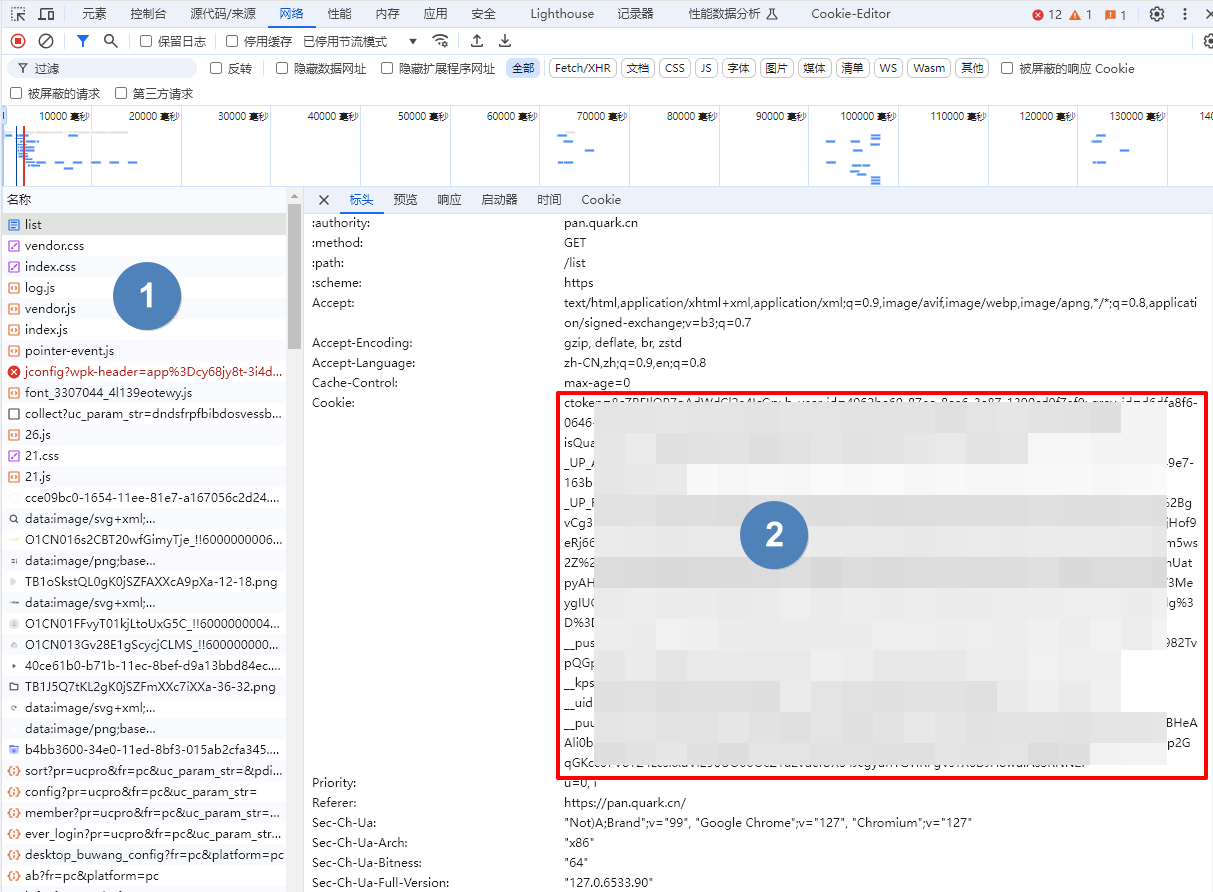
Press F12 to open "Debug", select "Network", select any request on the left, and find the one with the Cookie parameter.
Root Folder ID
Root Folder ID is 0
- After entering the folder, get the directory ID in the top address bar. If the subdirectory is deeper, the directory ID will be at the back of the address bar. Just write the subdirectory ID you want to mount.

Note that only Cookies captured in Chrome is available, use Firefox's Cookies may remain in guest and still require login.
Use transcoding address
Use transcoding address is only used for Quark video files.
- Disabled: use the original download link. This keeps the original file quality and still works for non-video files, but proxy / native proxy is usually the safer default.
- Enabled: use Quark's transcoded video address, which is better for web playback and supports
302, but it uses the transcoded stream instead of the original file quality.
The default download method used
illustrate:alist/issues/4318
Quark TV
The TV version supports 302, but only List and Download operations are supported. Other operations are not supported (the interface does not support it).
Add method
Select the
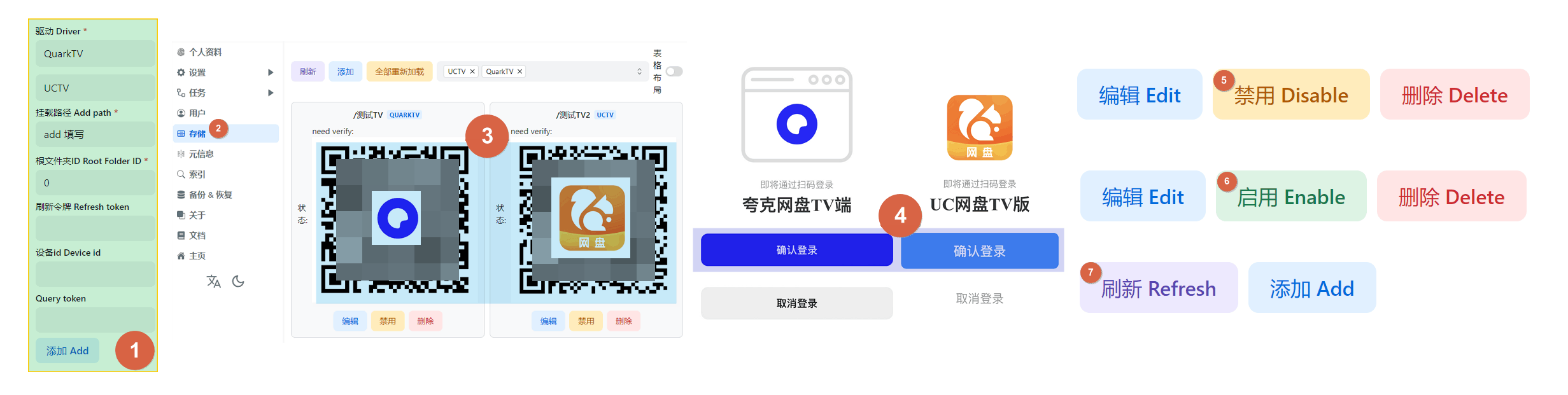
QuarkTVdriver, fill in the mounting path, and then saveReturn to the all driver page and use the mobile APP to scan the QR code (If the QR code is not displayed, click on
Table Layoutin the upper right corner of the driver to switch from list mode to table mode)After scanning the QR code to confirm, disable the driver, then enable the
driverto use it.Refresh token、Device id、Query token, It will be filled in automatically, no manual filling is required- Please do not edit manually and modify it
Root Folder ID
Root Folder ID is 0
- After entering the folder, get the directory ID in the top address bar. If the subdirectory is deeper, the directory ID will be at the back of the address bar. Just write the subdirectory ID you want to mount.